
Why yes, you *can* agentically code wherever you SSH!
1990-ies technology to the rescue!

I’m trying to use local LLMs as much as possible - I’m weird that way. One thing that I’ve missed it the ability to use something like Claude code wherever I want to, on systems that definitely can’t run any meaningful models, but still kind of locally.
Just today, I needed to reconfigure something on my private e-mail server (yeah, crazy), and since it’s not something I do often, I thought to my self: I wish I don’t have to Google the correct configuration and copy-paste lines into my vim session. And then I remembered - I don’t have to.
Though it sometimes feels like the world is hell-bent of replacing the last 50 years of IT engineering with a couple of Markdown files and a prayer, those 50 years of engineering didn’t, you know, just evaporate. Servers are still around, and so is SSH, and SSH has a couple of nifty features: TCP tunnelling and environment variable push.
So, to have a TUI application that enables agentic coding, namely OpenCode, with my local LLM, and be maximally flexible about it, I need to:
Set up a SSH tunnel that enables the remote system, running opencode, to connect to my local inference software
Configure opencode to use it, either manually, or (optionally) by pushing an environment variable and use that configuration (mostly worth it if you tend to experiment with different LLM software and want to automate switching between them)
For the ssh part, that’s pretty much done with:
ssh -R 127.0.0.1:9991:127.0.0.1:1234 user@remote-hostThis makes ssh listen on the remote server, port 9991, and tunnels the connection to your host to the port 1234 (LMStudio in this example).
Configuring OpenCode isn’t hard, but it looks like it needs an explicit list of models when it’s configured to connect to a custom provider. That’s tedious to write by hand, so I wrote a script to automate it, and named it BYOL - for Bring Your Own LLM.
The script expects either a LLM URL as a command-line argument (this one should point to the SSH tunnel connection, so in the above case, it’s http://127.0.0.1:9991/v1), or the same thing in an environment variable named BYOL_OPENAPI_URL. This brings us to the second feature of SSH, the ability to push environment variables into remote sessions.
If you have multiple LLM inference software running and want to experiment by switching between them, or something else equally weird, you can make it easier by pushing an environment variable over ssh and calling byol in a login script (like bashrc) to update the models. The ssh part then looks like this:
ssh -R 127.0.0.1:9991:127.0.0.1:11434 -o SetEnv=BYOL_OPENAPI_URL=http://127.0.0.1:9991/v1 user@remote-host '~/bin/byol; bash'Pushing the environment variable only works if the server is configured for it. See the BYOL README for an example.
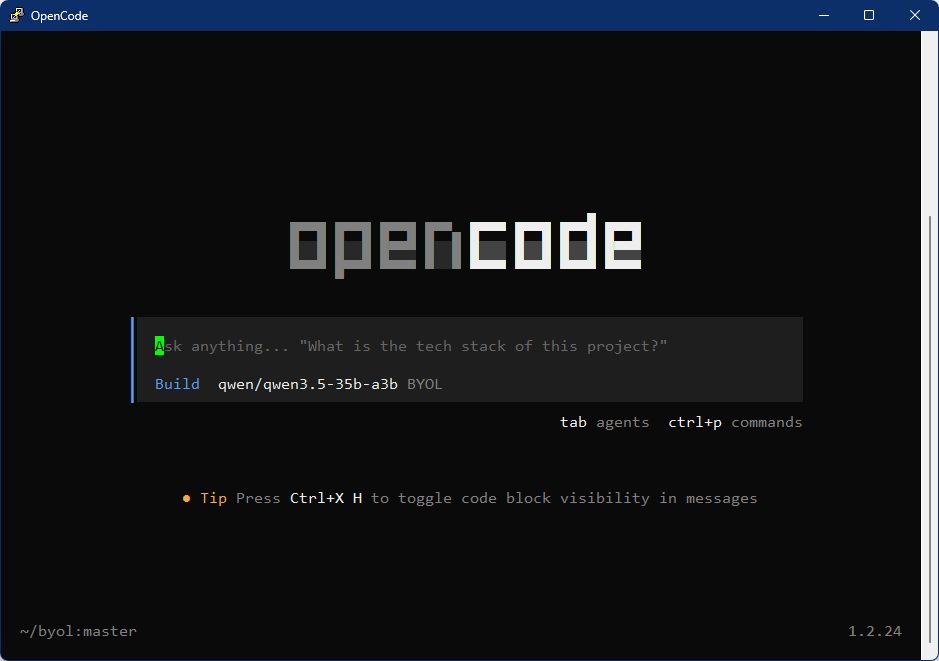
And that’s it. OpenCode thinks it’s connecting to localhost, and runs normally.
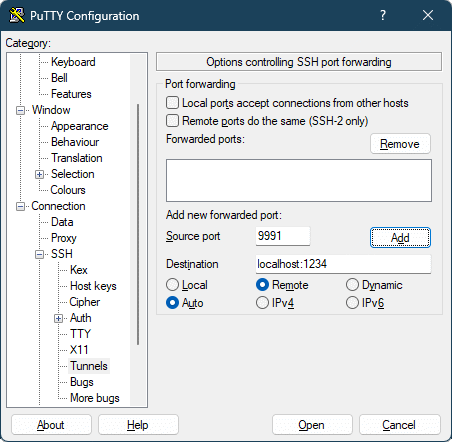
Almost all ssh clients support tunnelling, for example PuTTY:
Good luck!